Iron Messenger
Iron Messenger is a messenger that gives you privacy you can switch on and check yourself: no phone number at sign-up, strangers who wait in a Requests tray, a Ghost Mode with a timer, and deletion that wipes the file from the server right away. It is not end-to-end encrypted, and this page says exactly what that means, so you can decide with all the facts on the table.
What should a private messenger actually do for you?
For most people, privacy in a chat app is not about spies. It is about the guy from the gym who found your handle, the group admin who adds you to forty chats, the ex who checks when you were last online, and the photo you regret sending at 2 a.m.
So we built for those problems first. Each feature below protects the person who switches it on, and none of them sits behind a paywall. Our rule is short: privacy is never Premium. Premium sells decoration (themes, more sticker packs, louder reactions), never "who can find me".
Can you use a messenger without a phone number?
Yes. To create an Iron Messenger account you need a username, an email address and a password, or one tap with Google. You can add a recovery phone number later if you want an extra way back into the account, but nothing requires it and nobody sees it.
That matters more than it sounds. In apps that run on phone numbers, everyone who has your number can find you, and everyone you write to gets your number. Here, people reach you by your @handle, which is lowercase letters and digits only. You choose who gets it.
Public links and QR codes also carry no sequential numbers. Nobody can count our users or walk through accounts one by one by changing a digit in a URL, and media sits behind random addresses nobody can guess.
Your number stays in your pocket. An email and a username is all it takes to start.
How do you control who can reach you?
Four settings do most of the work. All of them are on the Privacy screen.
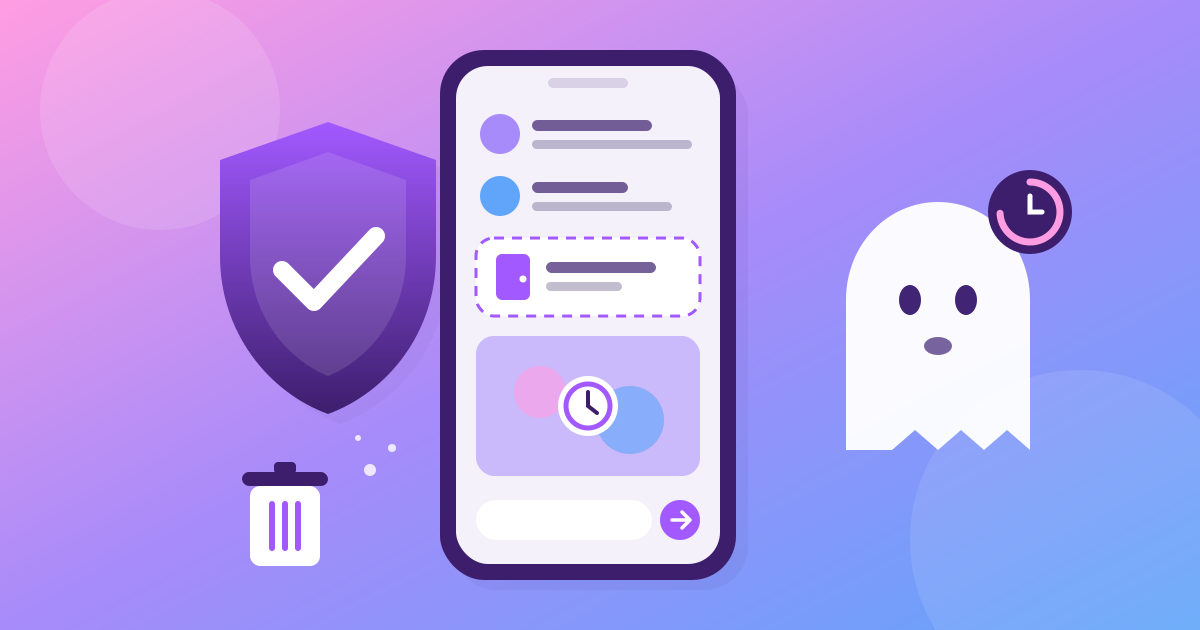
- Stranger Airlock. When it is on, a chat opened by someone who is not your contact goes to a Requests tray instead of your chat list. No push notification, no contact link, no photos loaded. You accept, or you block, and blocking clears the tray too.
- Unlisted handle. Drop out of user search completely. This is not hiding: the link and QR code you already gave to people keep working, because that handle is the address you hand out on purpose.
- Ghost Mode. Go invisible for the next hour, day, or any number of days, hours and minutes you dial in. It switches itself off when the timer runs out, so you never stay a ghost by accident.
- Who may. Pick who can see when you were last online, who can tag you, and who can add you to groups: anyone, your contacts, or (for last seen and search) nobody.
Then check your work in the Privacy Mirror. It shows your own profile twice: exactly as a stranger receives it, and exactly as a contact does. If something shows that you did not expect, you see it before anyone else does.
Does "delete" really delete?
It does, and fast. When you delete a message, it disappears for everyone in the chat, and if it carried a photo or a video, that file is wiped from our storage in the same transaction. Not after a cleanup job next month. Right then.
For pictures you never want to stay, send them with a viewing budget: one look, 3, 5 or 30 seconds. The photo arrives blurred, the clock starts when it is opened, and the file is deleted from the server when the last person closes it. An unopened one expires in 7 days. We wrote a whole guide on disappearing photos, including what they cannot do.
And if you want out completely, delete the account straight from the app. Your profile, your photo and your Google link are wiped, and every session is signed out. No email to support, no "are you sure" maze.
How is your account protected from break-ins?
- Passwords are stored only as bcrypt hashes. We never see the password itself.
- Guessing is a dead end. Five wrong tries lock the account for 15 minutes, counted across every address, not per IP. A botnet gets the same five tries you do.
- Your session key lives in the Android Keystore on a phone and in the Windows Credential Locker on a PC, not in a plain file.
- On the wire, everything goes over HTTPS only: TLS 1.2 or newer, with HSTS on every domain we run.
- Our own admin panel wants a password and a one-time code from email, so a leaked admin password alone opens nothing.
We also run current major versions of what we stand on (React Native, Expo, PHP, Laravel) and run a dependency audit on every release. When a bug is in a library we use, we patch it on our side and send the fix upstream.
Read the boring part too. Our privacy policy lists every piece of data we keep and why, in plain words.
What Iron Messenger does not promise
Iron Messenger is not end-to-end encrypted. Your messages travel over HTTPS and are stored on our server so they can be delivered to every device you use. That means the operator can technically read them.
This is a decision, not an oversight. Search across a whole chat, push previews, the moderation queue and built-in group tools all need a server that can read a message. So does the promise we make to people who report abuse: that someone will look at it and answer. You will not find a hint of "end-to-end" anywhere in our app, store pages or this site, and you never will while it is not true.
If your threat is the operator of the service itself, use an app built for that. If your threat is strangers, nosy acquaintances, account thieves and old messages that stick around, that is the problem Iron Messenger solves, for free.
Two more honest notes:
- No screenshot lock. We tried one, it did not hold on real devices, and we removed it rather than sell a promise the phone was not keeping. Anyone can point a camera at a screen.
- Reports get an answer. Report a message or an account and the decision comes back to you as a message from a real admin, in your language: banned, muted, removed, warned, or "no rules broken". The person you reported never learns who it was.
Want the bigger picture? See what Iron Messenger is, or how it stacks up in our honest comparison with Telegram and WhatsApp.
Questions people ask
Do I need a phone number to use Iron Messenger?
No. You sign up for Iron Messenger with a username, an email and a password, or with Google. A recovery phone number is optional and nobody else sees it.
Is Iron Messenger end-to-end encrypted?
No. Iron Messenger messages travel over HTTPS and are stored on the server so they reach every device you use, which means the operator can technically read them. The app never claims otherwise.
How do I stop strangers from messaging me?
Turn on Stranger Airlock in Iron Messenger's Privacy settings. A chat from someone who is not your contact then lands in a Requests tray with no push notification and no photos loaded until you accept it.
Can I hide when I was last online?
Yes. In Iron Messenger, choose who sees your last seen time, or turn on Ghost Mode for any number of days, hours and minutes. Ghost Mode switches itself off when the timer ends.
Are privacy settings part of Premium?
No. Every Iron Messenger privacy setting is free at every tier, and it stays that way. Premium only sells decoration such as themes, more sticker packs and reaction sounds.