Iron Messenger
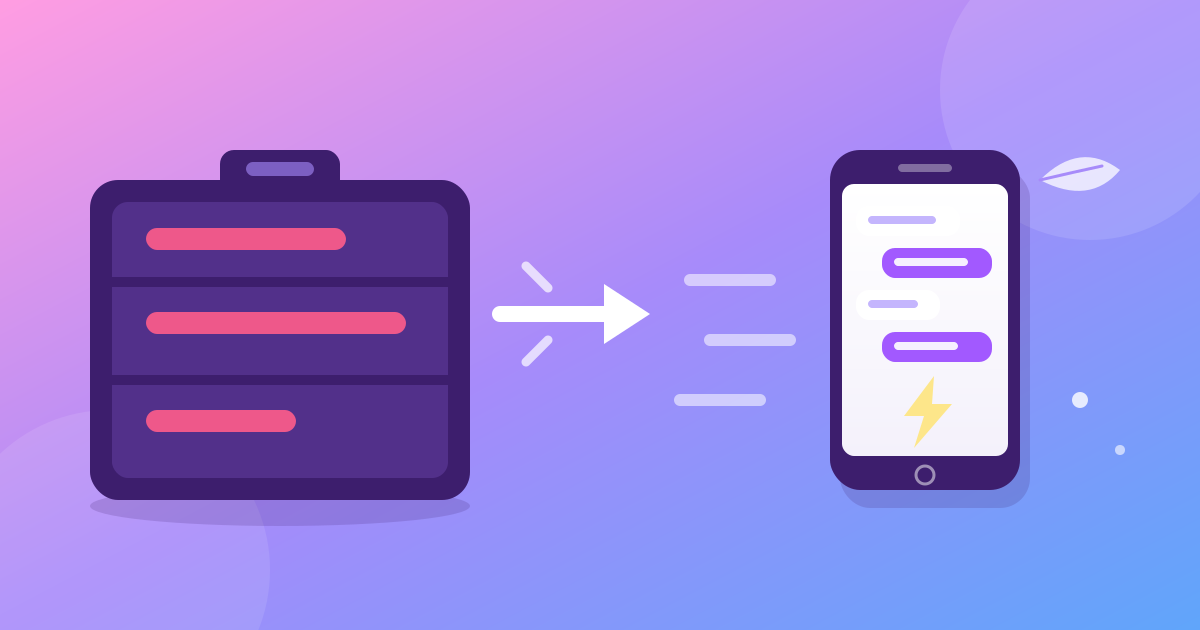
Iron Messenger 3.12.0 is a lightweight messenger app for Android: the whole app is now written natively in Kotlin, and the download shrank from about 42 MB to about 3.9 MB. It installs over the old app as an ordinary update, so you stay signed in with your theme and settings. This post says what changed, what we measured, what you keep and what is not there yet.
What changed in the Iron Messenger Android app?
The engine under the app changed, and the app you see did not. Until now the Android app was built with React Native, the same code that also runs in the browser and on Windows. That code needs a JavaScript engine and a large runtime on your phone. The new Iron Messenger app has neither. It is written only for Android, in Kotlin, with Android's own building blocks.
It keeps the same package name and the same signing key, so Android treats it as the next version of the app you already have. No new listing, no reinstall, no second icon. If you installed the APK from our website, the old app offers the update by itself.
The web version and the Windows app are not part of this change. They are still the React Native app, and they keep working as before.
How small is the new app?
The release APK from our website is 3,857 KB, about 3.9 MB. The React Native Android app was about 42 MB, so the download is roughly a tenth of what it was. On a phone with 2 GB of free storage, or on a data plan that you count in megabytes, that is a real difference.
There is no Compose and no native code inside. The build also has a size limit: a release over 8 MB fails its own build, so the app cannot grow by accident. Google Play stores the code differently from a website APK, so the size that Play shows for your phone is its own number. We do not quote it here.
Because the APK has no native libraries, it is not tied to one kind of phone chip. That is why it installs on 32-bit phones, which the old app could not do. The floor is the same as before, Android 7, so nobody who had the app loses it. Our earlier post about old phones and slow internet explains how the rest of the app saves data.
About 3.9 MB, and your whole chat list. Free, no phone number, and the same account everywhere.
How fast does it open?
We measure on two phones that sit on our desk: a Huawei ART-L29 (Kirin 710F, 4 GB, Android 10) and a Xiaomi Mi Note 2 (Snapdragon 821, 4 GB, Android 8). With the release build, the app opens the chat list in 0.47 s on the Huawei and 0.71 s on the Xiaomi. Each number is the middle of ten runs, measured on 25 October 2026.
One honest note: we took these numbers on Iron Messenger Lite, the small app that the new one was copied from, before the copy got the extra features of the full app. We have not published a second set for the new app, so read them as what the same design does on two phones, not as a promise for every phone. A phone that is slower than these will be slower.
The chat list appears from a copy stored on your phone, so it does not wait for the network, and then it updates. That is why a native app feels quick on a weak connection: the first screen never depends on it.
Do you need to set anything up again?
No. On its first start the new app reads what the old one stored and moves it over, before it draws a single screen. You stay signed in. Your theme, text size, bubble shape, double-tap reaction, recent reactions, GIF autoplay and the language come along. Then the app deletes the old copies, so nothing is left behind.
One small catch: the theme list loads from our server, so a Premium theme can show up from the second start instead of the first. The free light and dark themes are there at once.
The rest is the app you know, and some things were added on the way. Search finds public groups and channels, with a Join button. You can forward your own message with edits. Articles open in a full-screen reader. A one-look photo shatters when the look ends. A long press on a sticker opens a big preview with Send silently. Polls can allow up to a set number of choices and show who voted, and Send later says when the message will land. Ghost Mode is one switch, as before. Premium is still sold inside the app through Google Play Billing.
Why did we rebuild the app?
Speed is the reason people keep a messenger. You open it dozens of times a day, and every time the first thing you meet is how long the chat list takes. A chat that needs seconds to appear gets deleted quietly, and nobody files a bug report about it.
We built Iron Messenger Lite first, as the small app for weak phones. It grew quick enough, and complete enough, that it made sense to give the same design to everybody. So the new app started as a copy of that work, under the main app's own name, icon and package, and then got Premium and the features of the main app on top.
Lite did not go away. It stays as its own, even smaller app, on the same account.
Already have Iron Messenger? Update it. Same app, a tenth of the weight.
Where can you get it, and what is missing?
At the time of writing (31 October 2026), the new app is in three places:
- Our website. The homepage has the APK button. Android asks you to allow installs from your browser, once.
- Google Play. Build 3.12.0 is under Google's review now. It reaches Play users when Google approves it. We cannot give a date.
- Huawei AppGallery. It still has the previous React Native build for now.
Some things from the old app are not in the new one, by choice:
- The app draws one column at any screen width, so tablets lose the two-column layout.
- The picker for button looks is gone, and so is the light sweep on a few themes.
- On phones without Google services, the automatic cut-out in Iron Lab does not work; you still get the brush.
Messages are protected in transit with HTTPS and stored on our server, as they were in the old app. A rebuild does not change that, and Iron Messenger is not end-to-end encrypted. If you are weighing it against other apps, our honest comparison lists the limits.
Questions people ask
How big is the new Iron Messenger app for Android?
The Iron Messenger APK from the website is about 3.9 MB, down from about 42 MB for the previous React Native Android app. Google Play shows its own size for each phone.
Do I have to sign in again after Iron Messenger updates to the new Android app?
No. Iron Messenger keeps you signed in and carries over your theme, text size, bubble shape, reactions and language on the first start after the update.
Which Android versions does the new Iron Messenger app support?
Iron Messenger needs Android 7 or newer, the same as the old app, so nobody who had it loses it. It also installs on 32-bit phones, which the old app could not do.
Is the new Iron Messenger app free, and does Premium still work?
Iron Messenger is free to install. Premium is still sold inside the app through Google Play Billing, and it belongs to your account.